Only 6 months until Office LTSC 2021 end of support – are you ready?
Continuing to use software after end of support can leave your devices vulnerable to potential security threats, productivity losses, and compliance issues. That’s why it’s important to know that in just six months, on October 13, 2026, support will end for Office LTSC 2021 suites and standalone applications. After that date, Microsoft will no longer provide security fixes, bug fixes, or technical support for these products.
Bring your everyday business apps into the flow of work with agents in Microsoft 365 Copilot
Agents in Microsoft 365 Copilot, connected to content-rich apps like Adobe Express, Figma, Optimizely, or Dynamics 365, can now surface visually rich, interactive experiences right inside Copilot. The control stays with you throughout. Interact directly with the app’s in-chat interface or prompt the agent with your directions and let it perform the task under your supervision. Work can move faster within a single conversation, with reduced context-switching and fewer interruptions.
Available today: Anthropic Claude Opus 4.7 in Microsoft 365 Copilot
Anthropic's latest model, Claude Opus 4.7, is now available in Copilot Cowork (Frontier) and Copilot Studio early release cycle environments, and rolling out to Copilot in Excel. Opus 4.7 is designed to be faster and more precise, with improved ability to select the right tool for the task. It handles complex, multi-step work with rigor, so Copilot can interpret visual content with more detail and pull in relevant context with Work IQ to take action more precisely.
Meet video recap: a new way to revisit key moments in Teams meetings
Video recap is a video‑based feature in Microsoft Teams for Windows, Mac, and the web that helps you quickly catch up on meetings you’ve missed or revisit key moments. It creates narrated highlight videos from recorded meetings, combining key takeaways with short video clips so important discussions and decisions are surfaced conveniently for you.
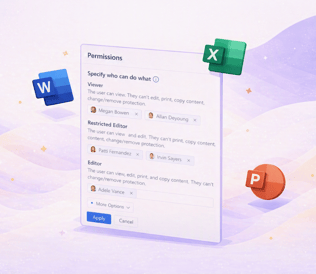
Apply sensitivity labels with custom permissions in Office for the web
Support for applying sensitivity labels with user-defined permissions is now rolling out in Word, Excel, and PowerPoint for the web. In the past, users were limited to opening and editing files with existing custom permissions in the web apps; applying new sensitivity labels configured for user-defined permissions or modifying permissions always required switching to the desktop versions. Now, all these actions can be completed entirely within Word, Excel, or PowerPoint on the web.
.200x200.jpg?width=316&upscale=true&name=Cumulus_Global-Logo+Tagline-(vertical).200x200.jpg)